
You can give a recommendation approved by grower a special status in Seed Selector so you know that this is the recommendation which was selected.
- Click Seed Solution icon. List of available Seed Solutions under the selected organization will be displayed.

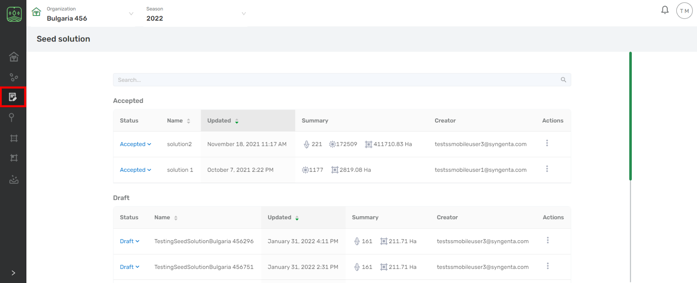
- Navigate to Status and click the icon and select the status from the drop-down .
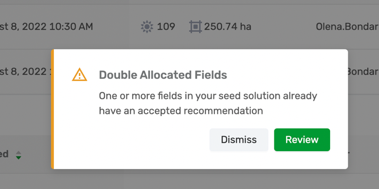
Several Solutions can be added to the Accepted. If two solutions have the same fields the following warning will appear
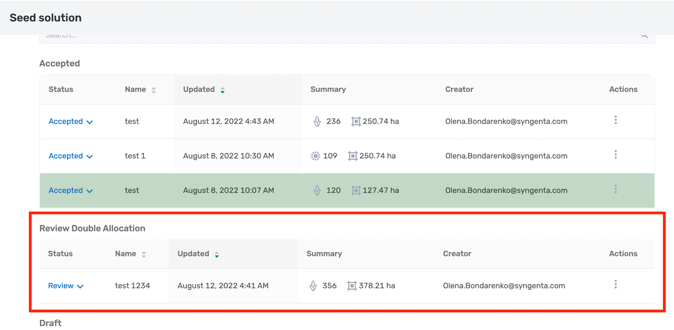
If you click Dismiss you will cancel the previous action and will be navigated back to the Solutions list. You will see a new section Double Allocated Fields appeared which contains the Solution that couldn't be accepted so you can review it later:
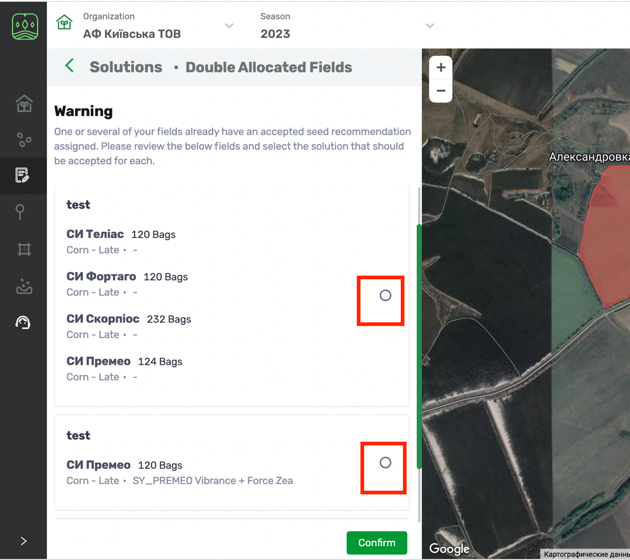
If you click Review you will see the following menu, in which you will need to choose either first or second Solution for such fields and click Confirm.

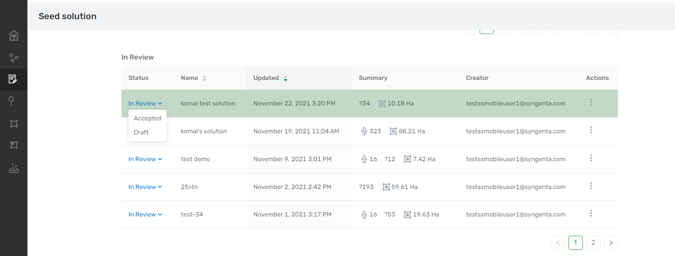
Available seed solution statuses are Accepted, Draft and In Review.
Status Name |
Definition |
Accepted |
The seed solution approved by the grower, choose this status to pin the selected approved solution. |
Double Allocated Fields |
It contains the Solution that couldn't be accepted so you can review it later |
Draft |
All the saved seed solutions are added with this status |
In Review |
The seed solutions that you sent to the crop experts for review. |
Comments
0 comments
Article is closed for comments.