
To ensure an easy transformation of the seeds recommendation into a commitment to buy, Seed Selector provides a “One Tap Integration” with the CtB/Voucher Formyoula Form.
After you create a recommendation for an organization, you can generate an e-voucher for your seed request.
To create voucher for an organization
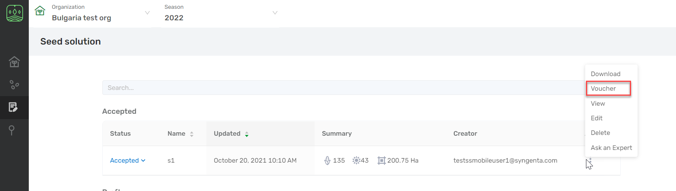
- Go to Seed Solution and choose the Organization you want from the list.

- Choose the Seed solution you need.
- Click on the three dots under Actions section and select Voucher.

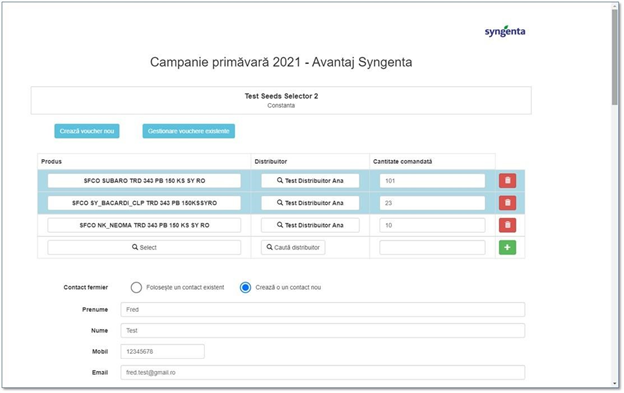
You’ll be directed to your Salesforce account to proceed with the voucher form where you’ll find the relevant data of your recommendations.
Seeds Selector products are highlighted with a blue background:
Comments
0 comments
Article is closed for comments.