
For Ukraine and Russia there a possibility to upload fields boundaries from Cropwise Operations.
1. Go to Manage Organization module in Seed Selector. Under each Ukrainian and Russian organization there will be a button Integrate fields from Cropwise Operations.
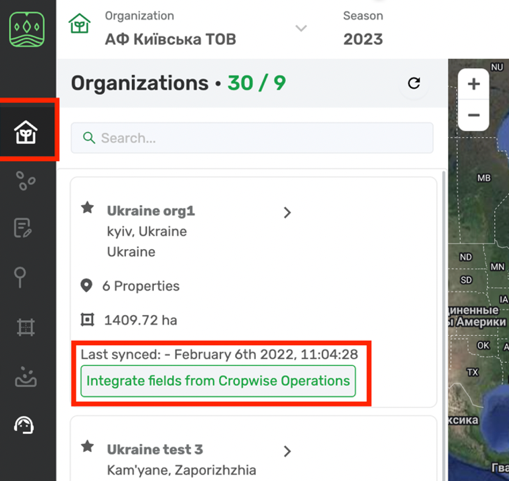
2. When you click on it you will be navigated to Cropio page where you will need to log in to your account.
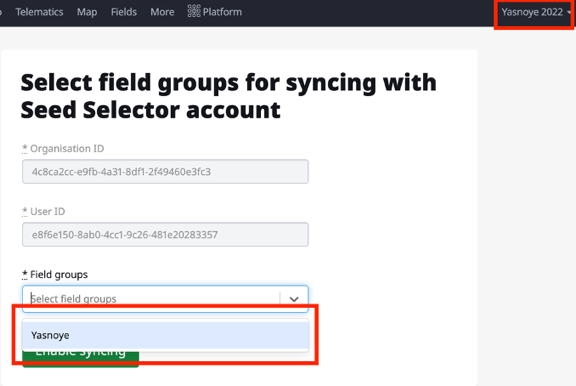
3. Choose the fields that you need and click Enable sync
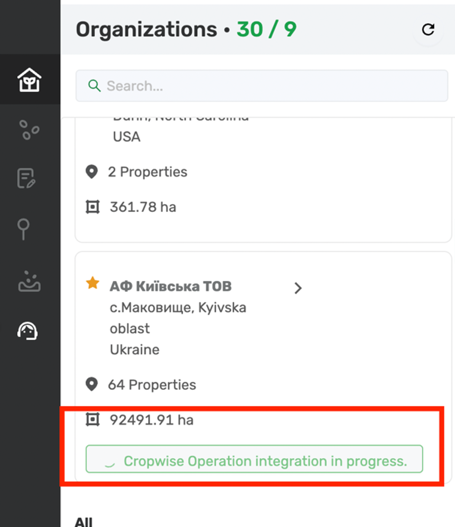
4. The field group will start uploading as a property to the chosen organisation in Seed Selector
Comments
0 comments
Article is closed for comments.