
With Seed Selector, you can take product recommendations to the next level with your grower and close commercial processes from calculating demand calculation to finalizing vouchers, from one place.
View seed demand summary
When you create recommendations whether for multi fields or for a location using spot check, Seed Selector calculates seed demand for the organization, planting rate and number of bags needed for areas you’ve selected.
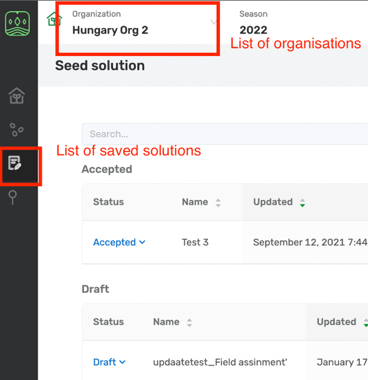
- Go to Seed Solutions. The Organization list will show by default the last organization you’ve created recommendations for.

- You’ll view all the recommendations for your organization, including date of creation, bags needed on field level or for the area you’ve spotted, and a logo of the crop.
- You can choose any organization you want from the list on top.
Update seed demand
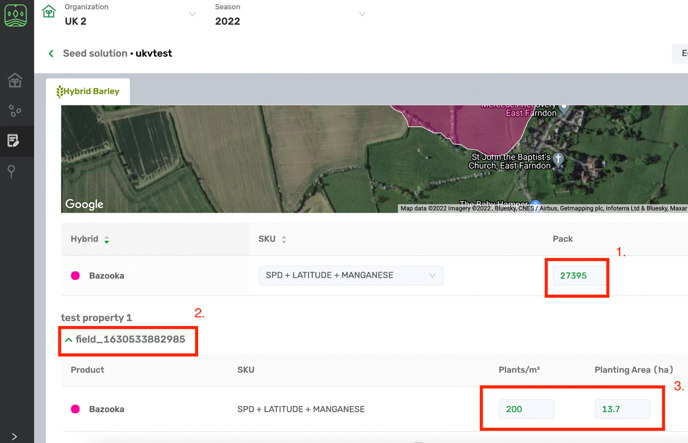
- You can update the seed demand details for each field on your list to choose the right SKUs, planting rate, and Bags needed.
- Choose the solution you need clicking on its name.
Solution view - You can change the total number of bags.
- Change the seed rate for a field or size of this field. The total number of bags for this product will change, calculating the total seed demand for this hybrid. The information will save automatically.
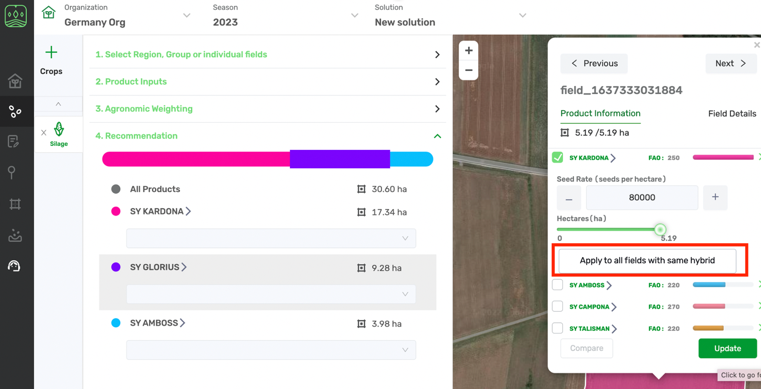
You can also add SKU and set a seed rate for multiple in Seed Selector module:
You can download a PDF product catalog for your recommendations.
Comments
0 comments
Article is closed for comments.