
We can select a seed treatment for each hybrid in Seed Selector. Please make sure to change it before starting creating voucher.
Where you can change SKU?
- You can change SKU when creating a Solution for seed recommendation. Navigate to Seed Selector, go through all the steps to create a solution
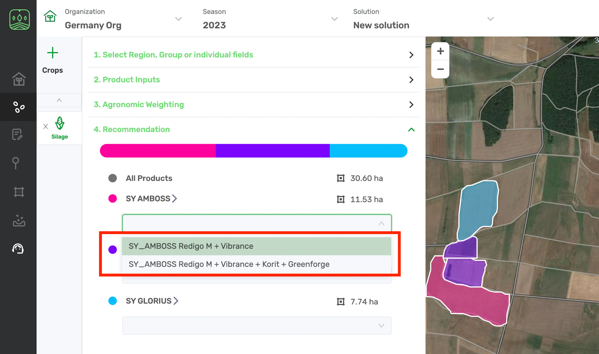
- Save your solution and the SKU will be applied to hybrids in all the fields in solution.
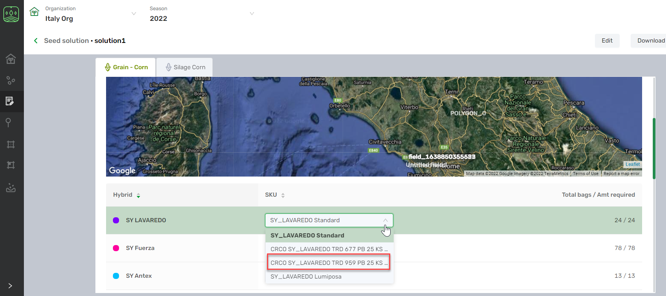
You can also change SKU in Seed Solution module when Solution is already created:
- Go to Seed Solution and choose the Organization you want from the list on top.

- Choose the Seed solution you need clicking on its name in the list of solutions.
- Navigate down to SKU and select the desired SKU from the drop-down.
Comments
0 comments
Article is closed for comments.