
If you want to modify an already created solution.
- You need to go to Seed Solution module.
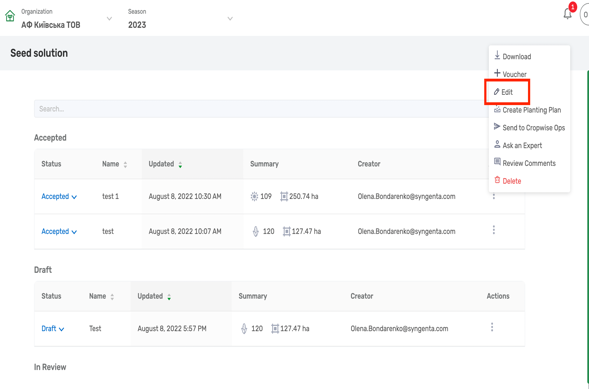
- Click on three dots and choose Edit.
- You can also open Solution clicking on it's name and in the view menu click on three dots and choose Edit.
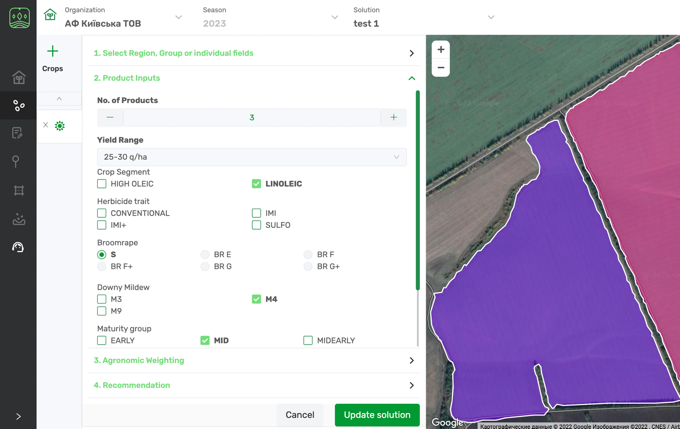
- In either way you will be navigated back to Seed Selector module, where all the Input date of the Solution is saved and you can modify it and save again.
Comments
0 comments
Article is closed for comments.