
Seed Selector lets you easily create a customized Product Catalog and a personalized Planting Plan to every grower.
After you create a recommendation for an organization, you can download a summary PDF report with the recommended product characteristics and field-by-field details for your grower.
To download product factsheet
- Go to Seed Solution from the side menu and make sure you chose the Organization you want from the list on the top.

- Choose the solution you need.
- Press on three dots under Actions section and select Download.

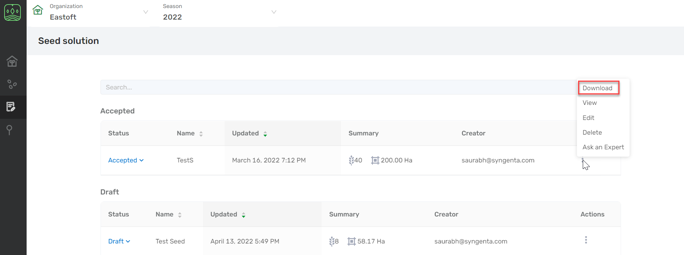
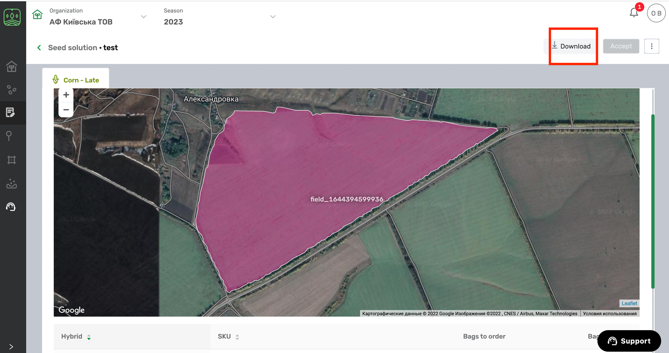
- Or you can open a solution view, clicking on its name. Then select download on the top of the view mode:
The PDF report consists of several pages.
- Name of the territory sales manager, promoter:
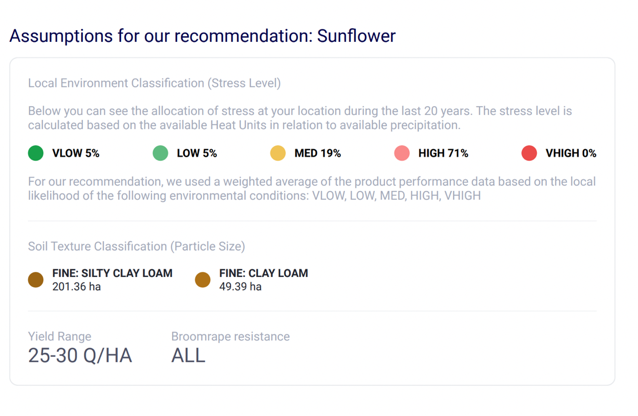
- The details on environment such as: weather conditions, soil and expected yield range that user chose (particular for this farm).
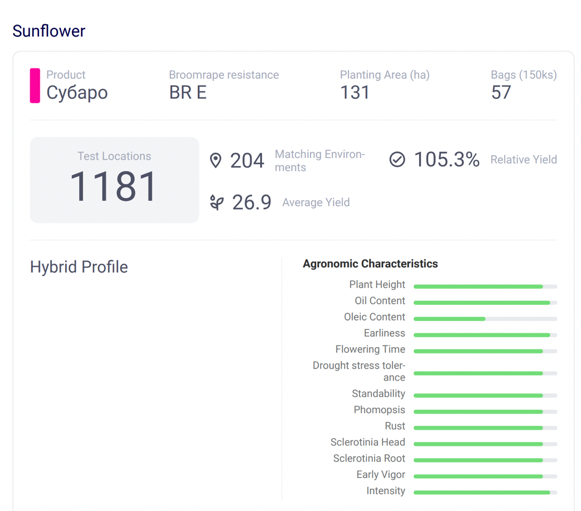
Then you will have detailed information on each hybrid in recommendation:
- Test locations: number of tests locations where the product was tested.
- Matching Environments: number of test locations with the same weather conditions, soil, yield level.
- Average Yield - average yield in matching environments.
- Relative Yield - relative yield in comparison to all of the other test hybrids.
- You will see fields with the names of products on the map
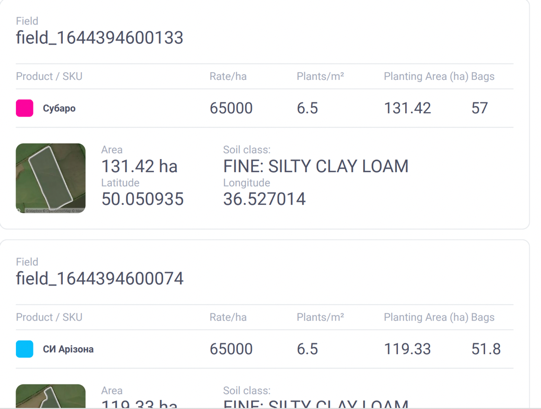
- You will also find detailed information per each field, which includes seed rate you chose, planting area, predicted by Soil Grid source soil type and field area.
Comments
0 comments
Article is closed for comments.