
If you have ready shape files from your grower, you can create field boundaries right away by uploading files that contain field shapes and names into Seed Selector.
- Click Manage Organizations.

- You’ll find a list of the Properties under this organization, choose the property where you want to add fields, and click Add new field.
- Choose Upload File from the field mapping options.
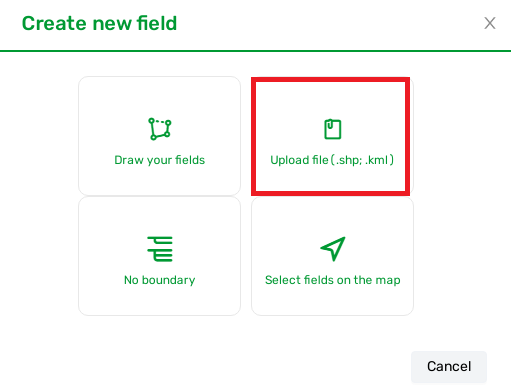
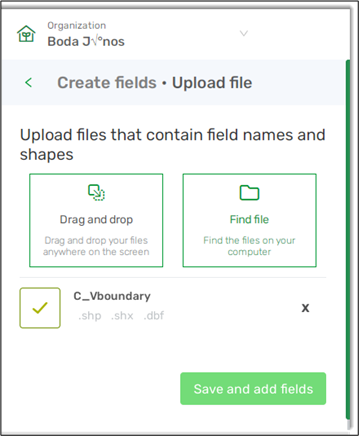
- Simply drag and drop your files anywhere in the page or click Find file to browse your device and choose files.
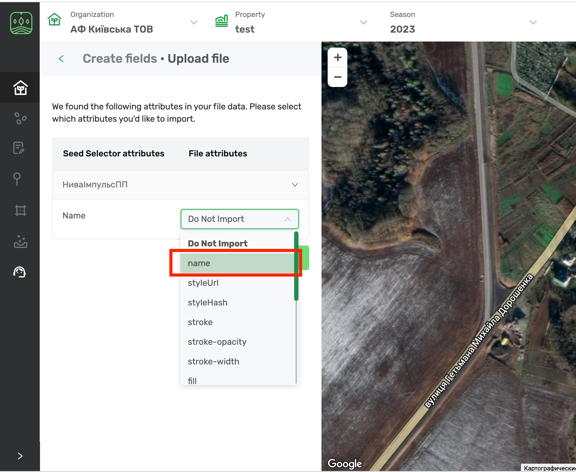
- Choose the name option from File attributes if you want the original fields name to be reflected in the tool and click next.
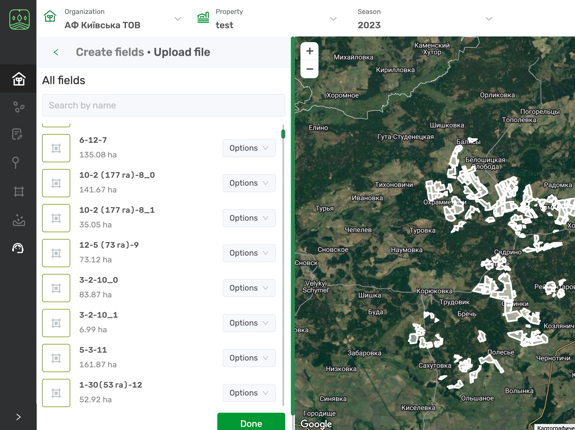
- You will see all the files uploaded with the names - click Done.
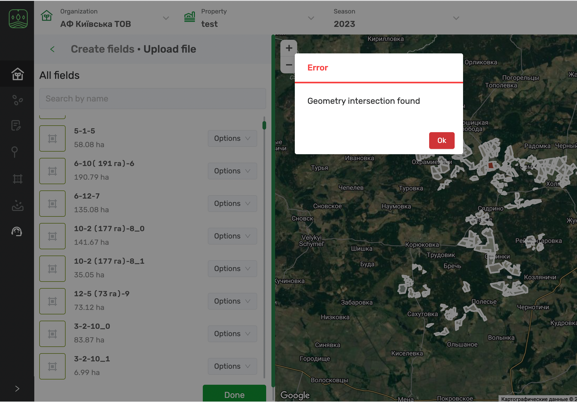
- If there are intersections or overlapping issues you will get an error message
- Just remove or edit the field with a problem that will be highlighted in red.
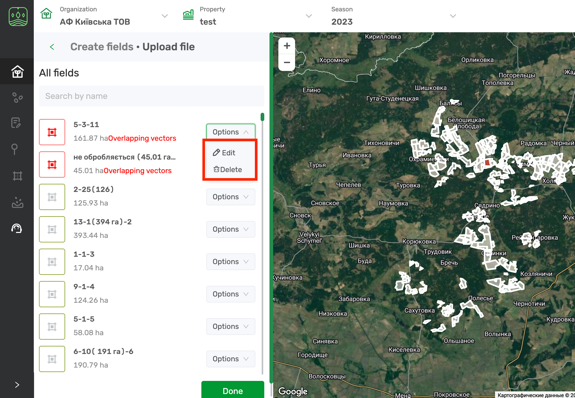
- Click Done to save changes.
Comments
0 comments
Article is closed for comments.