
To get up and ready with field recommendations for your growers, you need first to map your farm fields into Seed Selector.
The farm hierarchy in Seed Selector consists of organizations, properties, and fields.
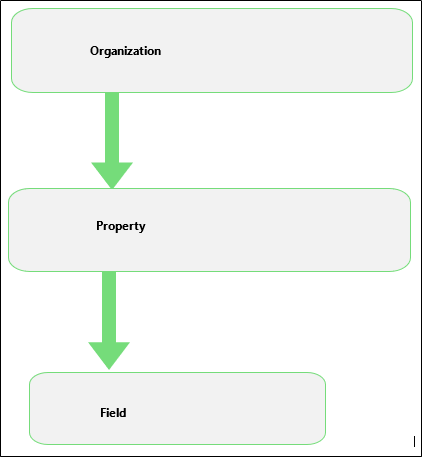
Organization
Organization is your customer information or farm account assigned to you. Seed Selector connects with Salesforce.com, so you can find all organization's data from your Salesforce account.
Note: For new organizations, you’ll need to add the organization information on your Salesforce account, and it will be automatically added to your organizations list in Seed Selector.
Note: Synchronization with accounts from Salesforce.com should be in real time, no longer than a few minutes.
Property
A property is a grouping of fields. It could represent a farm or a territory where a set of fields belong. As an organization may include multiple farms or cover a large area, properties keep fields organized into separate farms or areas under the same organization.
One property is created automatically under an organization synchronized from Sales Force , so you can add fields and go ready with field-level recommendations.
Fields
Fields are the basic unit for Seed Selector recommendations. You can add fields under a property of your choice to create recommendations. Seed Selector lets you map accurate field boundaries at a glance with multi-sourcing of field boundaries.
Comments
0 comments
Article is closed for comments.